AI Generated Images
(Best viewed on desktop)
Overview
User/Business Benefits
Requirements
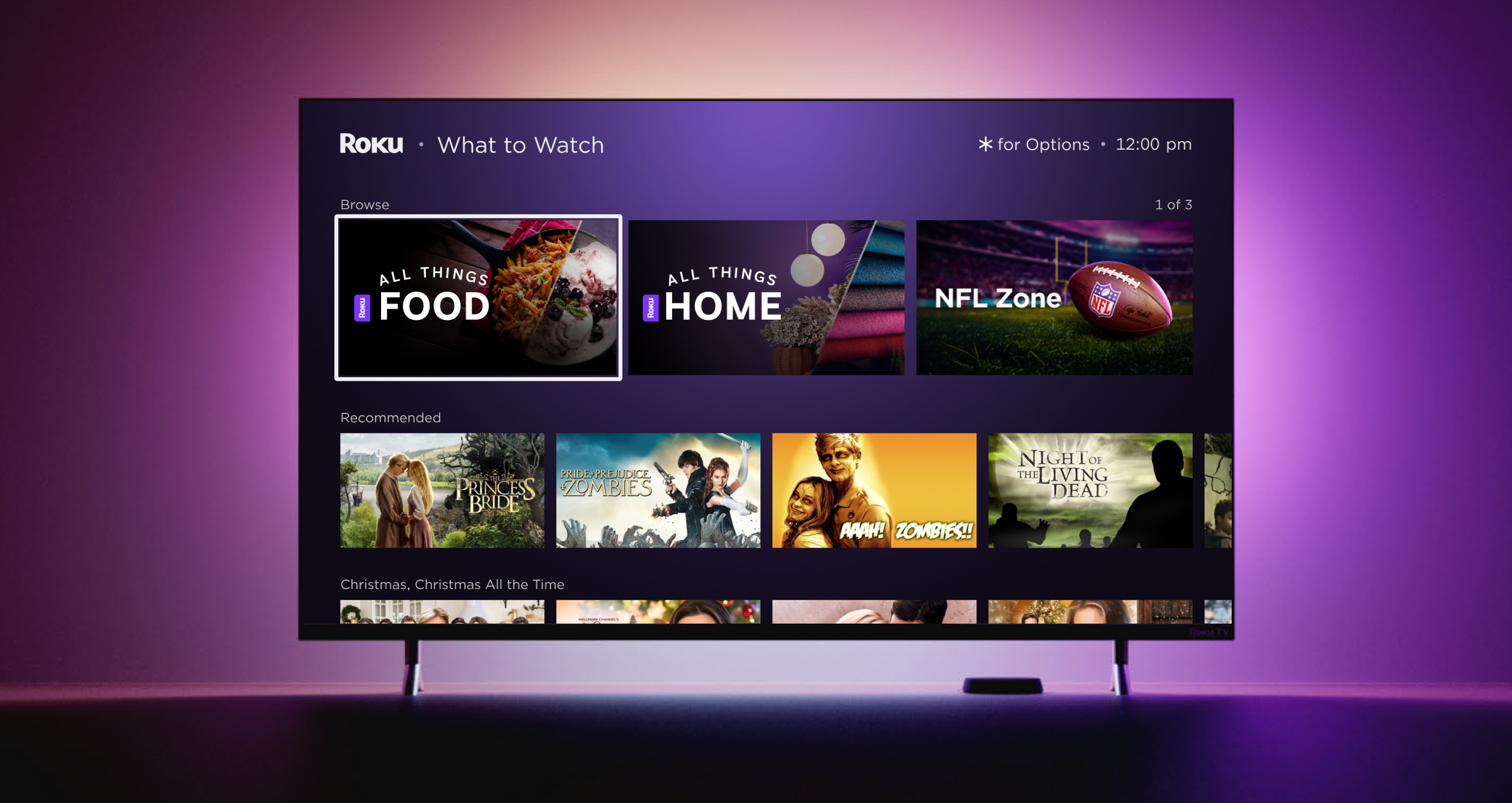
This new feature within ScreenBuilder is part of a system designed to enhance user engagement by providing tailored visual content. These images are generated using AI and LLM models to create personalized artwork for specific zones or hubs within an application. The personalization is informed by user data such as watch history, subscriptions, and contextual factors like holidays or social events.
Images are personalized based on user preferences, content, themes, or categories
Personalized artwork can attract and engage users by providing relatable and fresh content, which can improve user experience and click-through rates
Reduced time required for manual photo selection and uploading
Allow users to review a pool of AI generated images
Allow users to reject and undo reject image, and provide a reason
Allow users to undo reject image, and provide a reason
Company
Roku
Role
UI/UX Design
Users
Merchandising
Timeline
Jun 2024 - Mar 2025

The Design
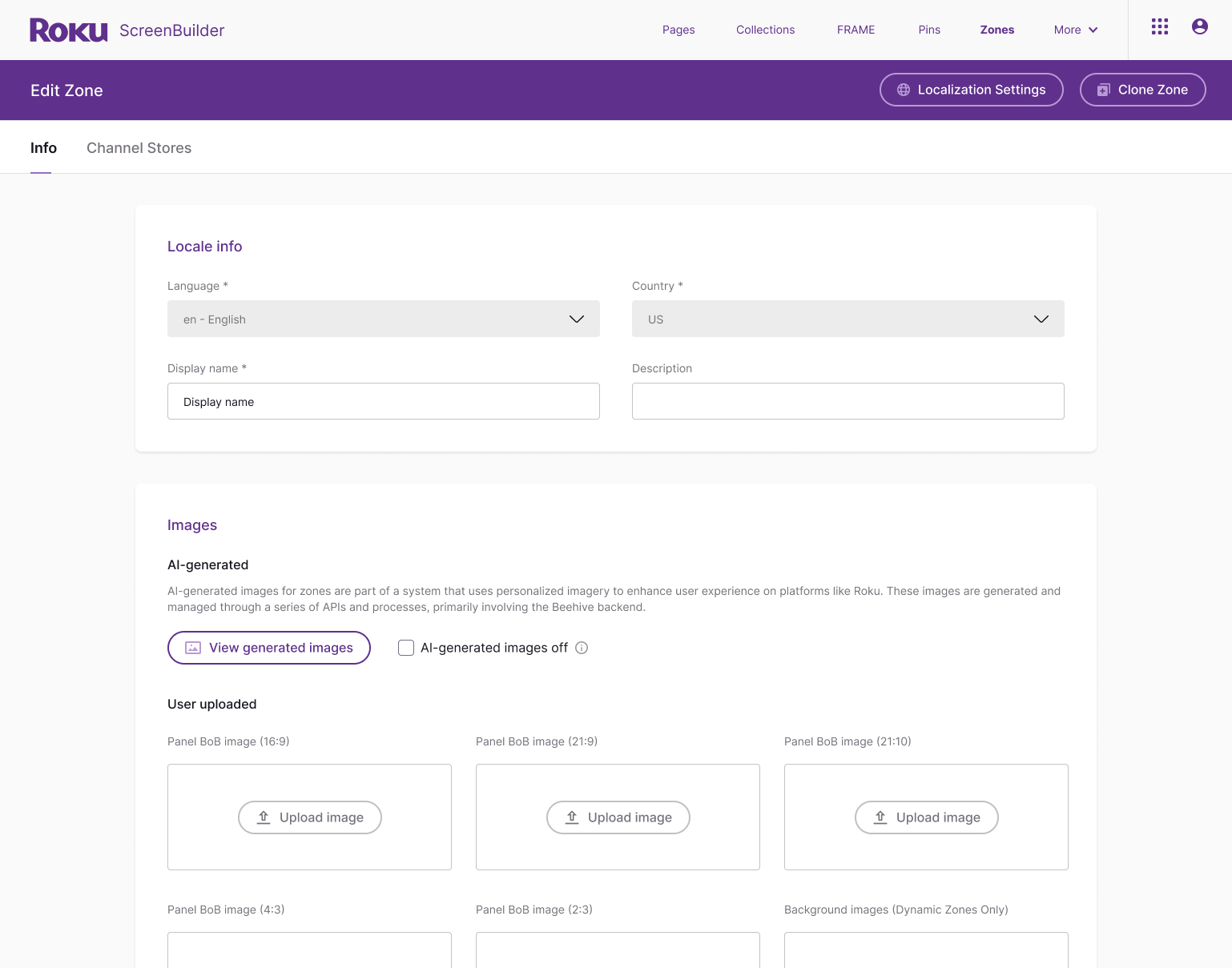
This feature was first designed for ScreenBuilder, but built as a component to allow other teams within Roku to reuse for their tools.
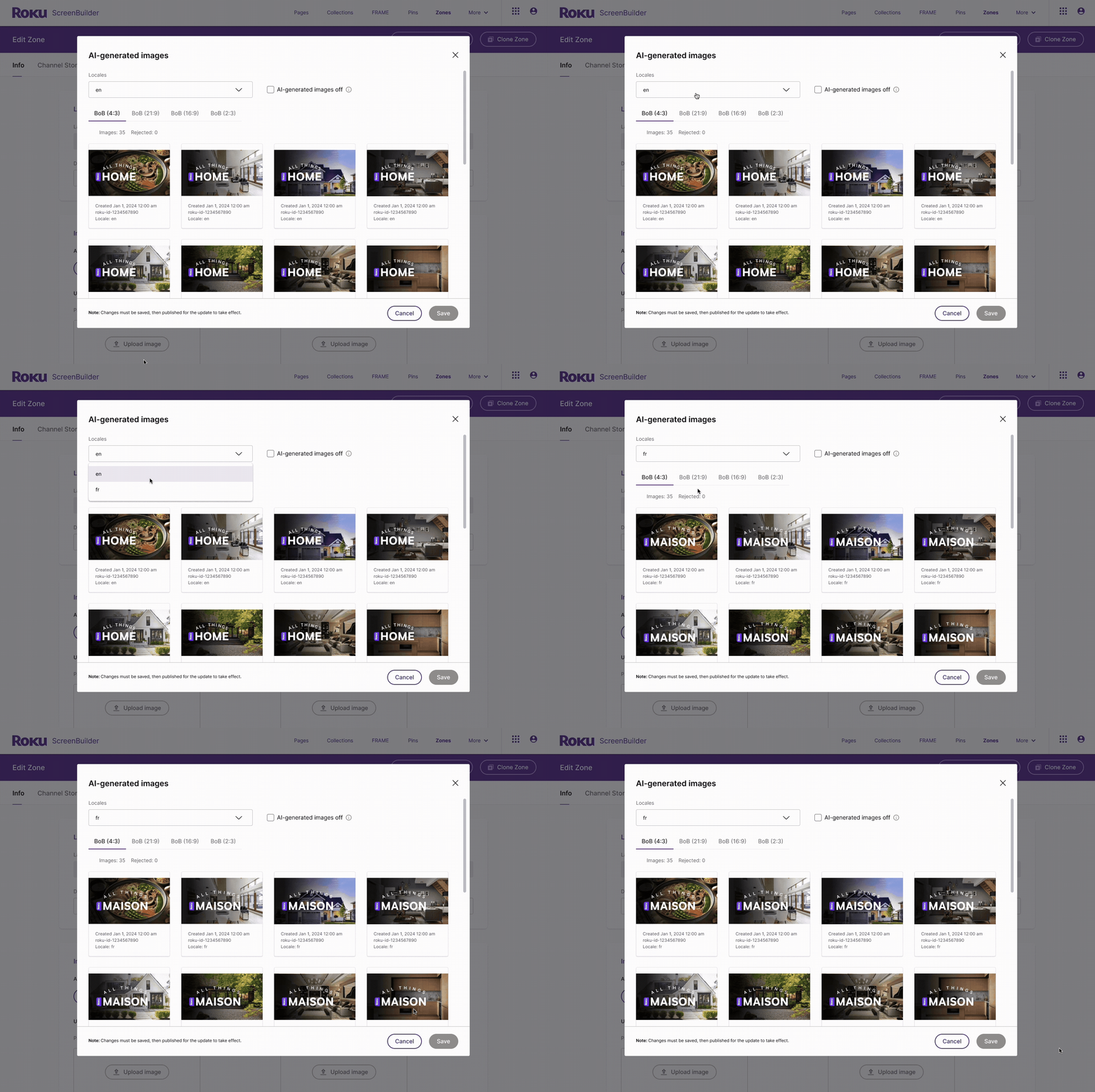
✅ Req 1: Allow users to review a pool of images
Artwork is generated using Gracenote images related to the defined zone, with 30-40 high-quality images. Based off user feedback, no action is needed for approval.
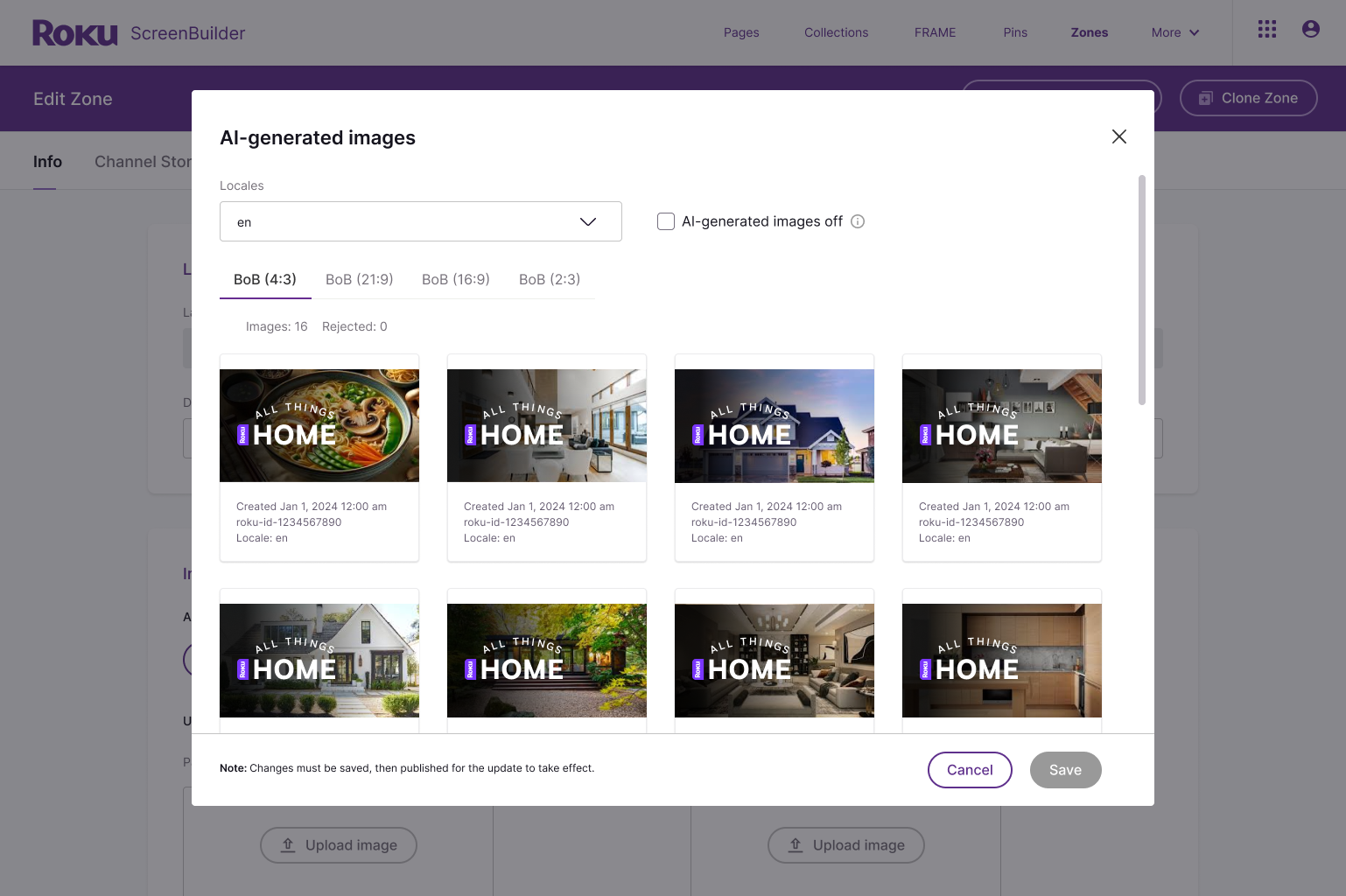
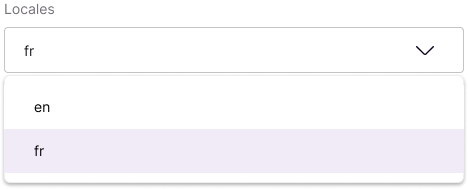
Users were also given the capability to view multiple locales within the same zone, enhancing workflow efficiency by streamlining the review and rejection of images.
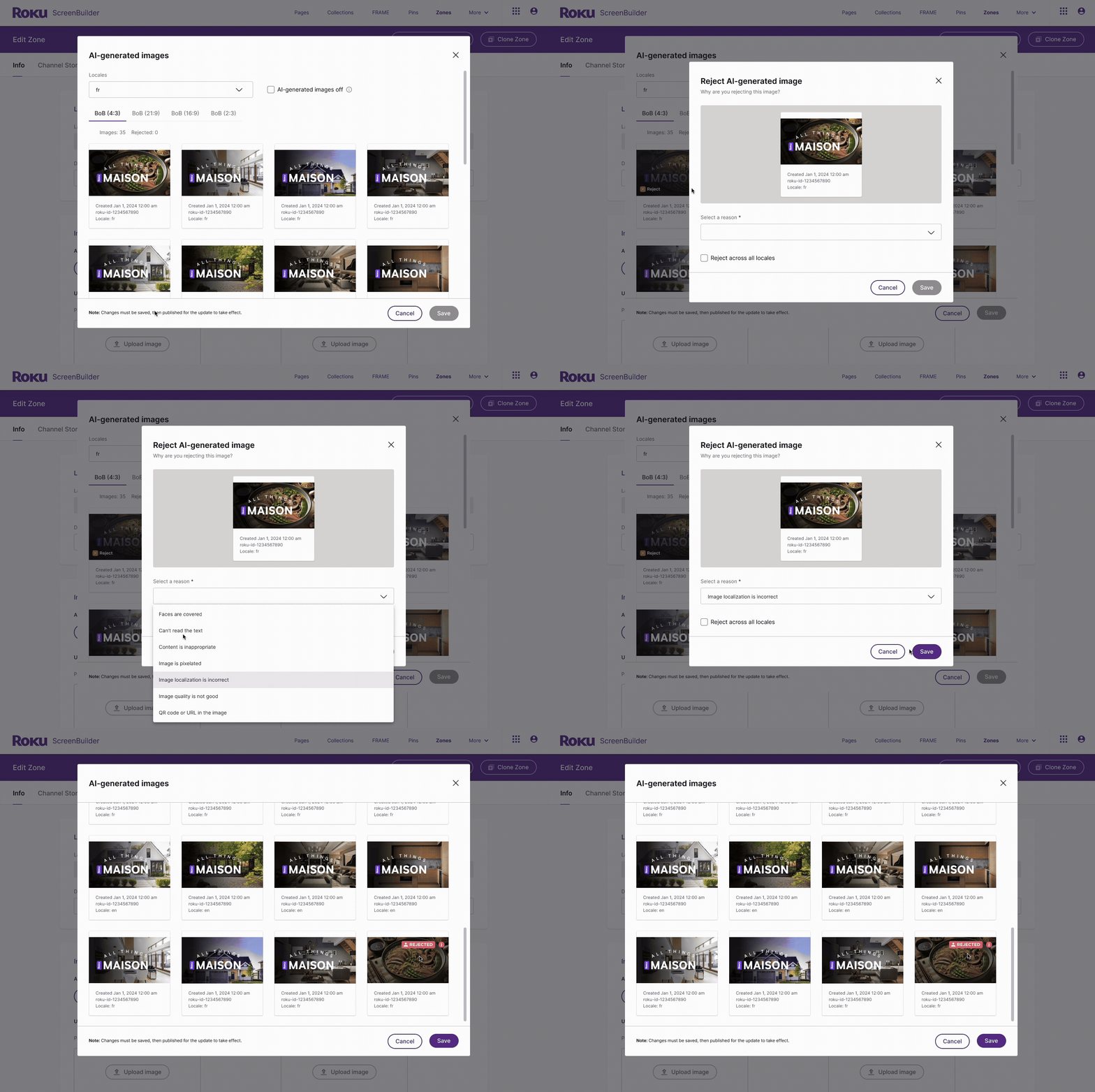
✅ Req 2: Allow users to reject image(s), and provide a reason
Users can reject an image and choose from a predefined list, which helps improve the machine learning model and ultimately produces better results when generating new images.
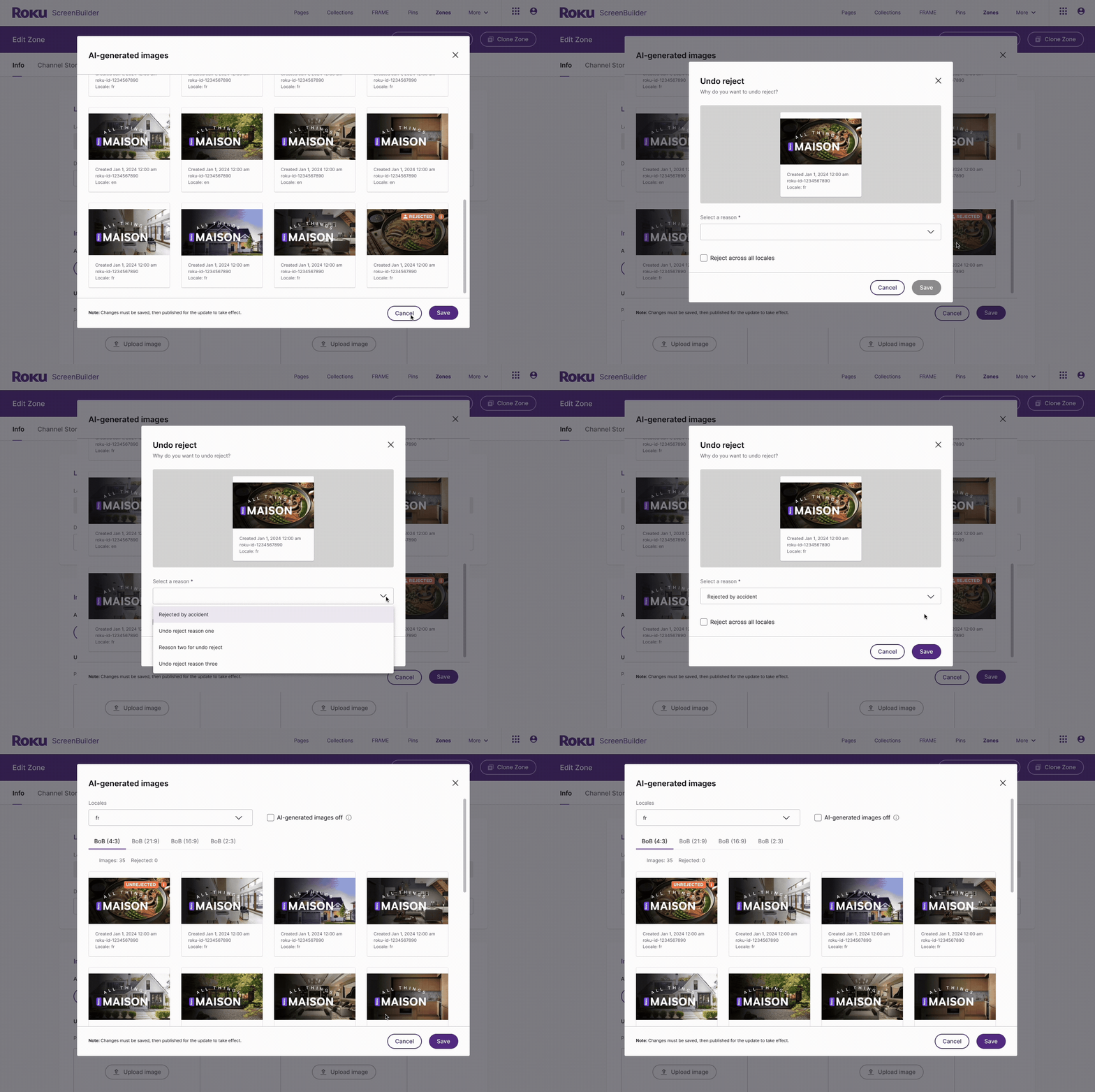
✅ Req 3: Allow users to undo reject image, and provide a reason
Sometimes human error occurs, and that’s okay!
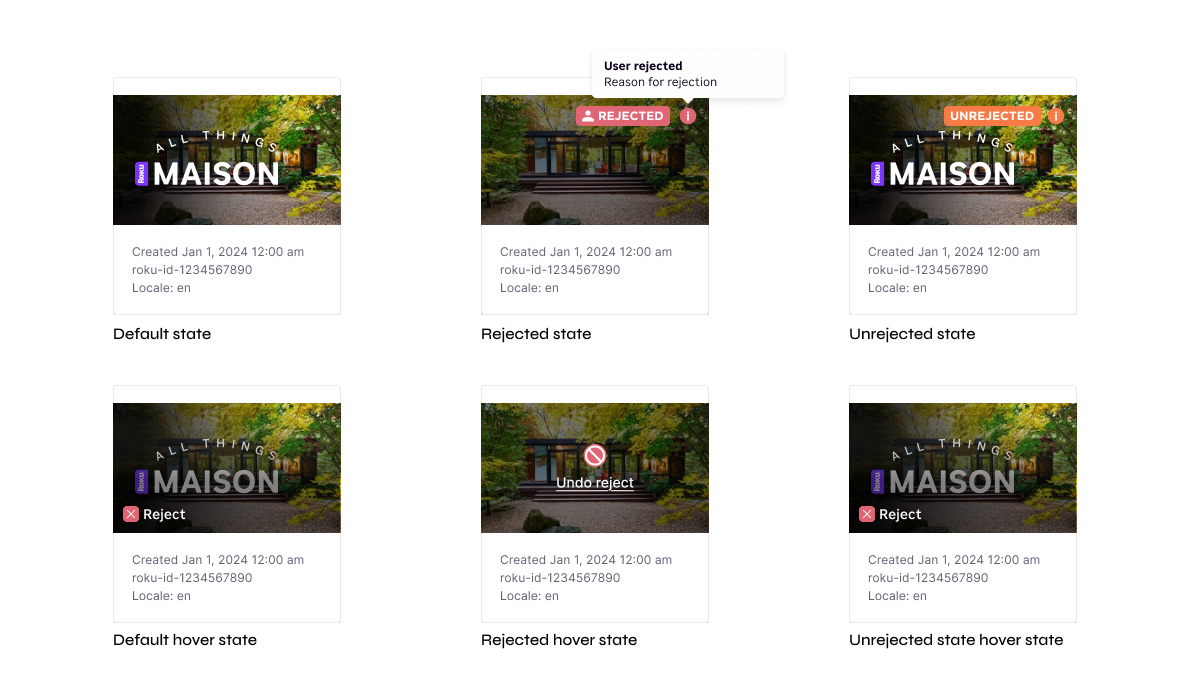
AI Generated Image UI states
A/B test showed that,
Personalized artwork using AI Generated Images were tested on “All Things Home” and the “Browse Row”
Significant engagement increased for All Things Home, stream rate +20.04%, DSD (Direct Stream Digital) +15.75%, SH (Streaming Hours) +21.25%, and visits +28.49%
The Browse Row on the Homepage, where these lifestyle destinations are featured, also show significant performance improvements as well. Browse Row DSD +8.30%, Unique Viewer Rate +10.50%, and Account Click Rate +8.49%
Segment analysis revealed that SVOD and YouTube users showed the highest engagement with the personalized artwork.
personalized artwork feature is a win and ready for full rollout!